PROJECT 15 MARKSLECTURES 1–4
Profile Card
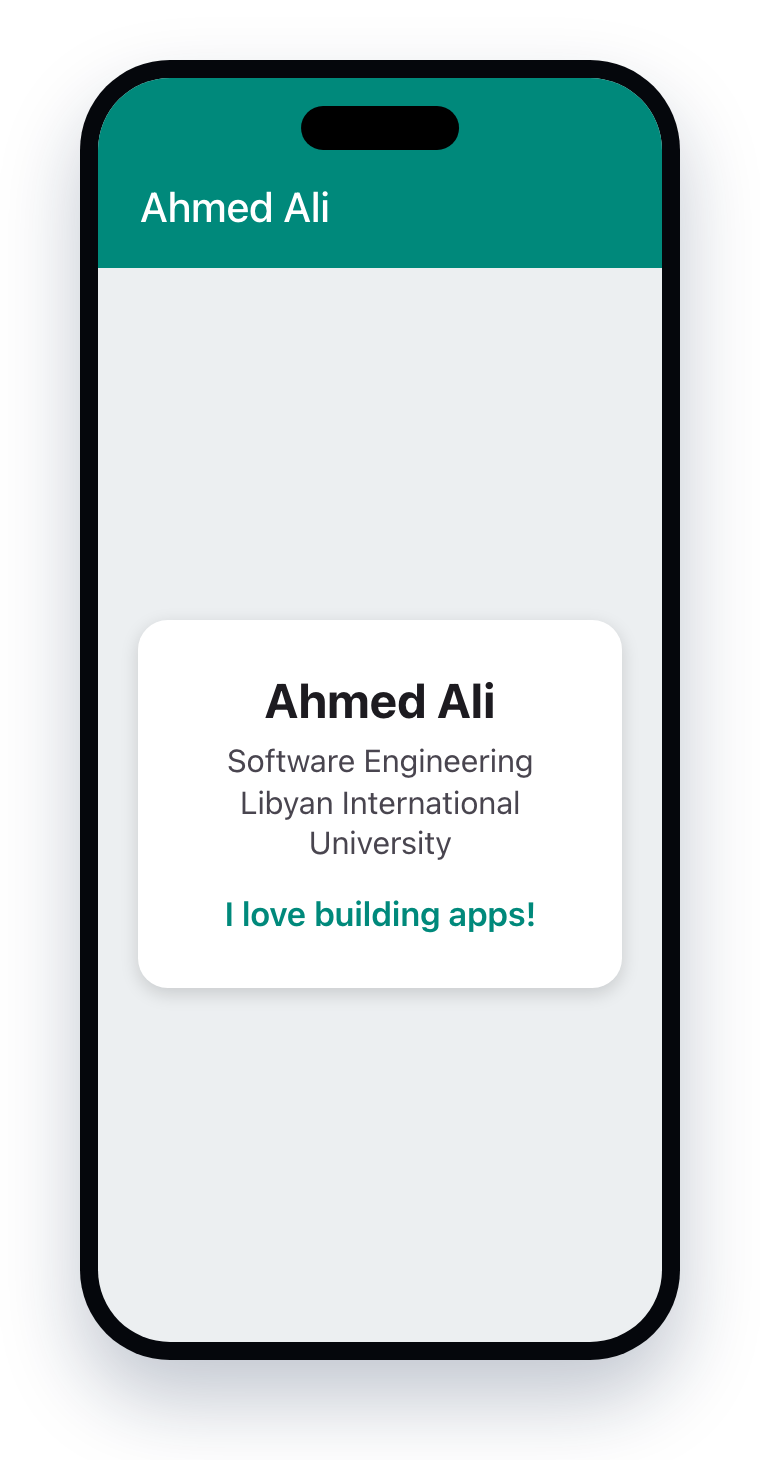
A one-screen app that shows a card about you, using only MaterialApp, Scaffold, AppBar, Center, Container and Text.
- A new project called
profile_card, DEBUG banner hidden - An AppBar with your name and your own colors
- A centered Container: width, padding, color, rounded corners
- Your name, major, university and one line about you
- Text styled with TextStyle and centered
- No red errors; code formatted (Shift + Alt + F)
How it is marked
| AppBar: title and custom colors | 1 |
| The card: size, padding, color, rounded corners | 1.5 |
| Text: all the information, styled and centered | 1.5 |
| Clean code that runs with no errors | 0.5 |
| Submitted correctly on GitHub | 0.5 |
| Total | 5 |
⭐ Want to impress? Add a border, use Column & Row, or your photo in a CircleAvatar.
PROJECT 28 MARKSLECTURES 5–8
Login Page
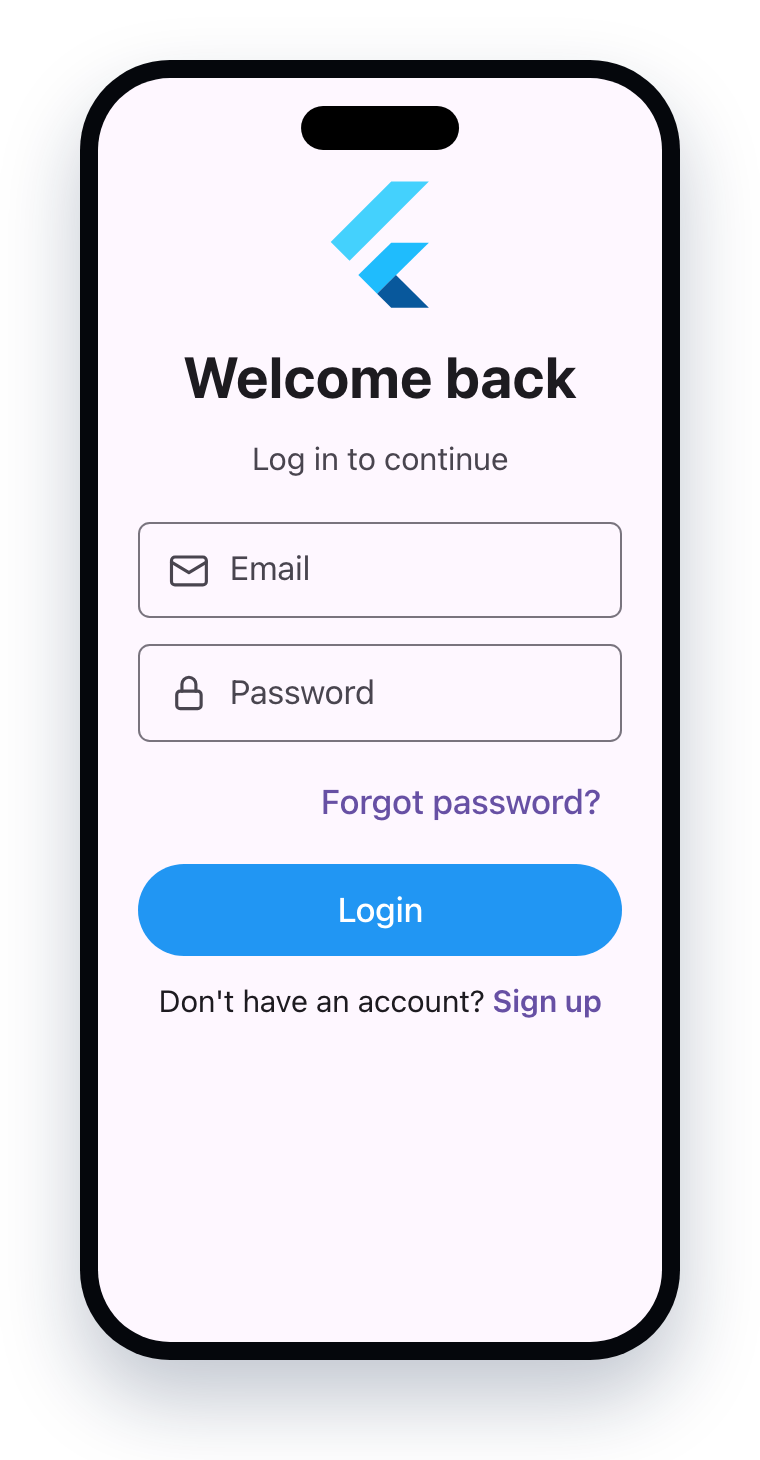
A complete login screen with your own design that keeps working when the keyboard is open.
login_pageproject; LoginPage is its own widget- SafeArea + SingleChildScrollView + Padding + Column
- A logo from assets (
Image.asset), title and subtitle - Email field and password field with icons
- "Forgot password?" + full-width Login button with a SnackBar
- "Sign up" row, and no overflow with the keyboard open
How it is marked
| Layout structure (SafeArea, scroll view, padding, column) | 2 |
| Logo from assets, title and subtitle | 1 |
| Email and password fields with all the details | 2 |
| Buttons: Forgot password, Login + SnackBar, Sign up row | 1.5 |
| Design quality: spacing, colors, no overflow | 1 |
| Submitted correctly on GitHub | 0.5 |
| Total | 8 |
⭐ Want to impress? A tappable logo, an AlertDialog for "Forgot password?", or a "Remember me" row.